
Mon–Fri 8:00 AM – 4:30 PM 159 Pennsylvania Ave W, Saint Paul, MN 55103
Frogtown, Saint Paul. Repairing cars here since 1999.

Know what your vehicle needs. Know what happens next.

After an accident, uncertainty costs time. We help you move from damage and unanswered questions to a documented assessment, a repair plan, and a clear next decision. It starts with an engagement document and your authorization.

Find help for your situation →

  1. Engage · agree on scope and charges
  2. Assess · investigate and document
  3. Decide · review the plan and options
  4. Authorize · approve repairs separately
See what a complete assessment involves →
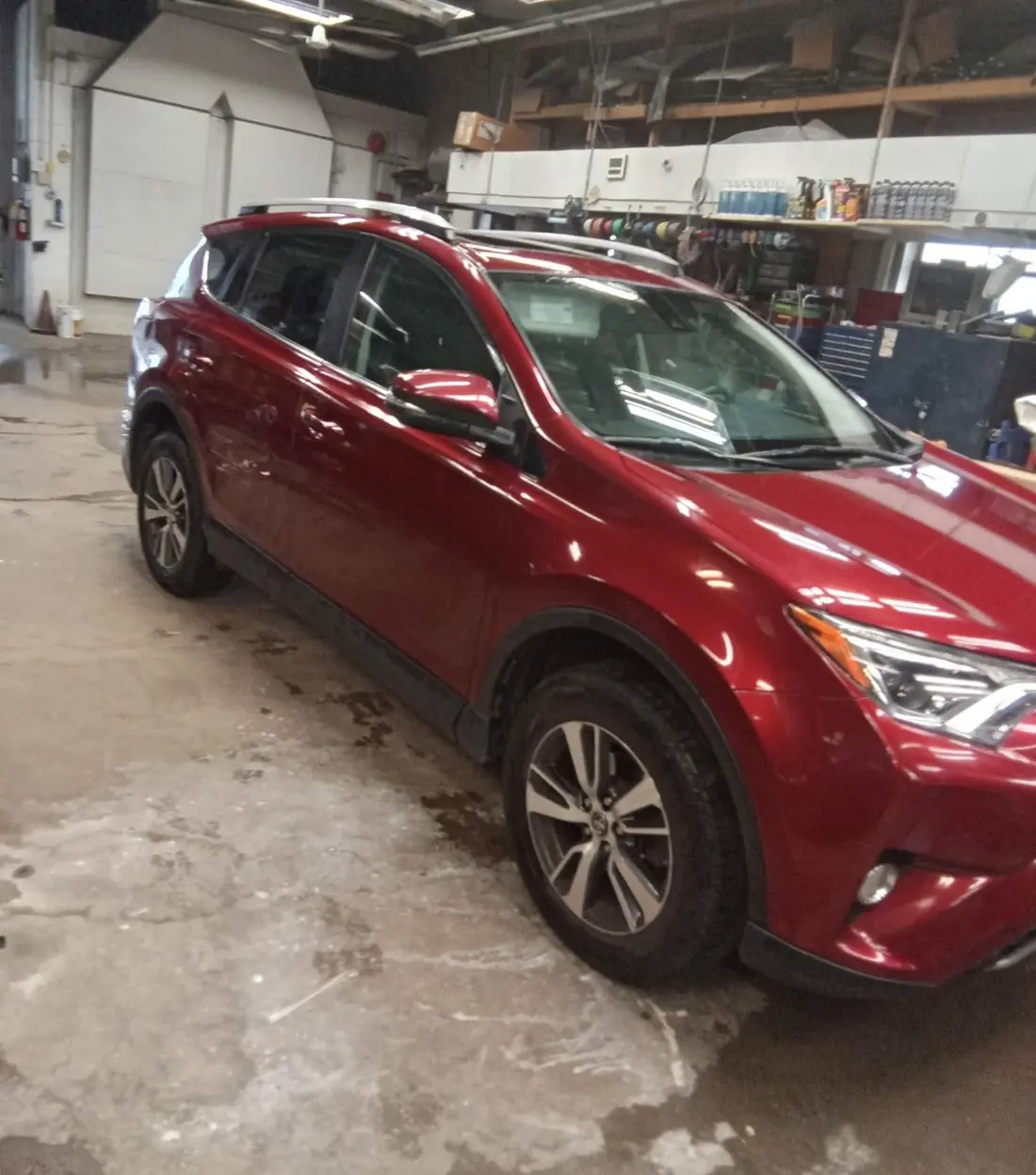
A red SUV in a repair bay inside the Collision Repair 1 Stop shop
Inside the shop · 159 Pennsylvania Ave W
27+ years in St. PaulSame corner of Frogtown, same standards.
Documented assessmentPhotos, procedure research and applicable testing support the findings.
Body and mechanical, one shopCoordinate the repair plan and identify additional specialist work when needed.
FROM OUR SHOP · APRIL 2025

What a photo estimate can’t show you

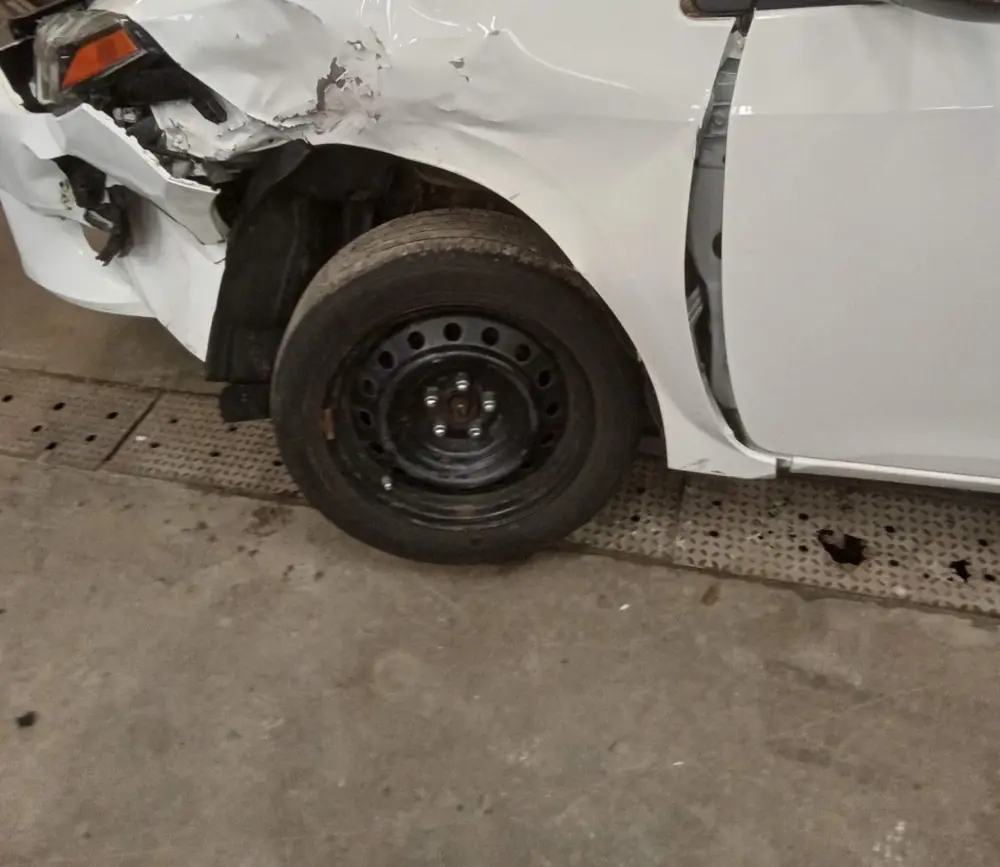
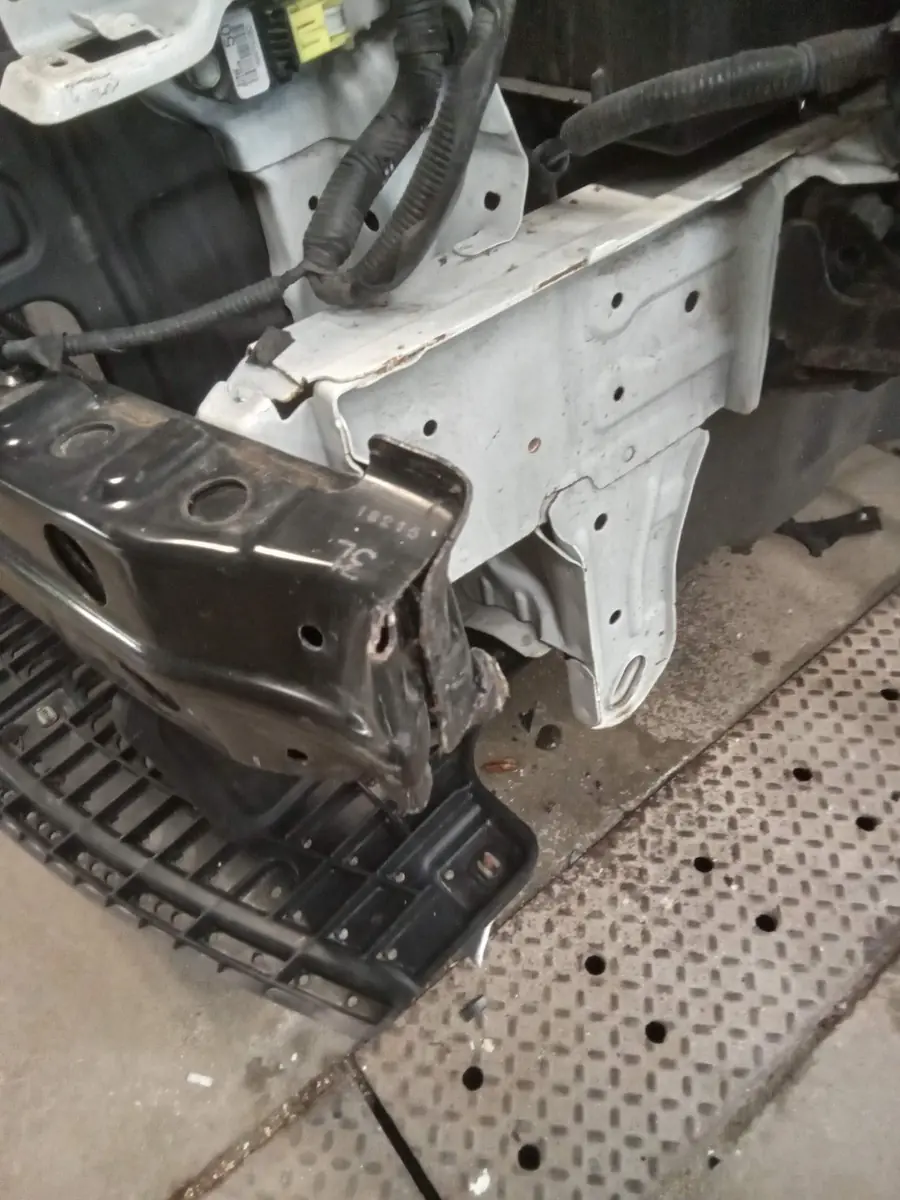
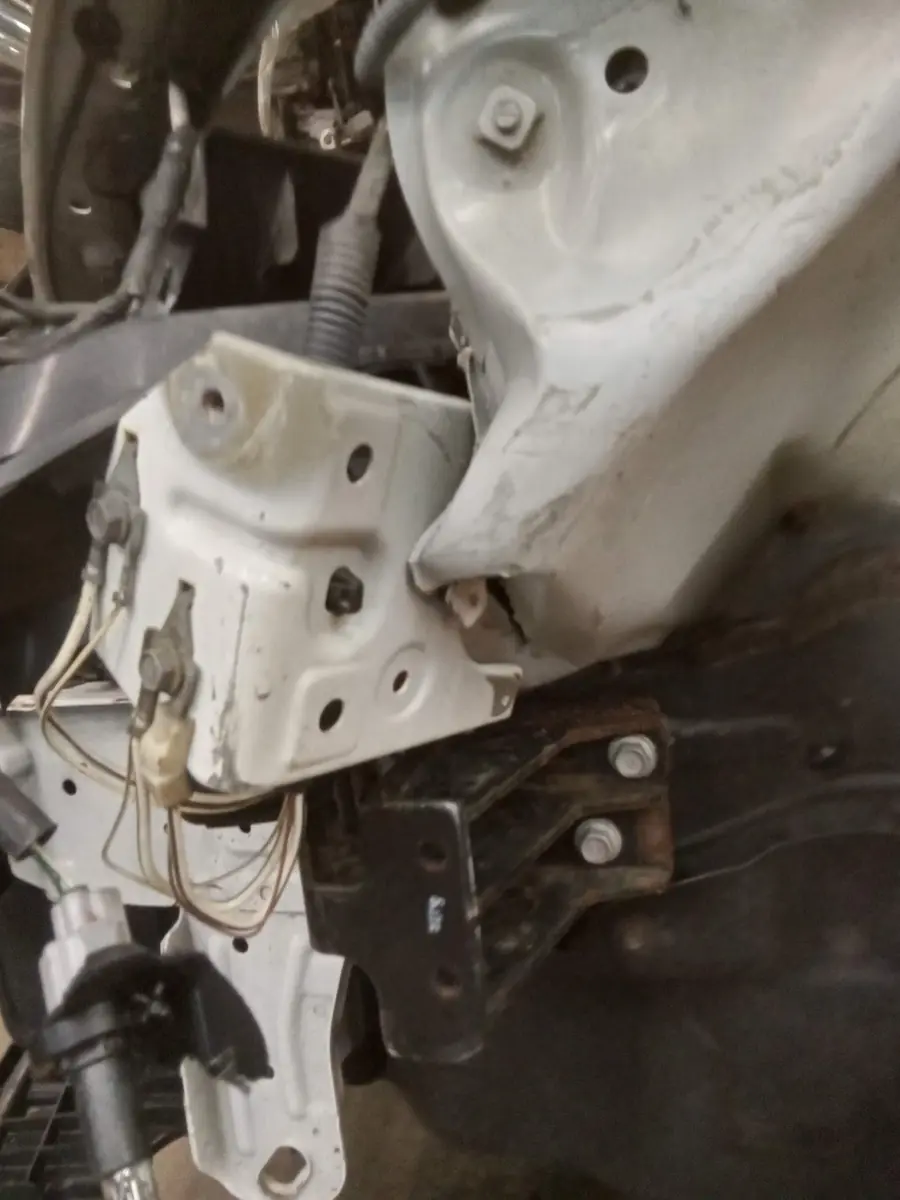
A front-corner hit looked like a bumper and a fender. Authorized disassembly showed the damage behind the cover. This is why we document before anyone quotes a final number.

White sedan arriving with a crushed front corner and fender
01 · ARRIVALWhat you can seeBumper, headlamp and fender damage, recorded on arrival.
The same sedan with the bumper cover removed, showing a displaced reinforcement and front structure
02 · COVER OFFWhat was behind itWith authorization, the cover comes off to reach concealed areas.
Close-up of bent front structure and brackets after disassembly
03 · FINDINGSPhotographed and notedEach finding is checked against the manufacturer’s procedures.
ASSESSMENT · RO # ______

Documented outcome

  • Findings with photos
  • Procedure references
  • Itemized costs
  • Open questions and repairability

Repairs are authorized separately, after you review this.

04 · YOUR DECISIONRepair, claim review or total-loss talk

See what a complete assessment involves →

What do you need help with?

Collision damage, an unresolved warning, or protection for your finish: start with the right assessment.

Front structure exposed during a collision repair

Collision and frame repair

After a collision, visible damage may conceal structural problems. Measurements and applicable manufacturer procedures help determine whether correction, replacement or further investigation is needed.

Discuss this service →
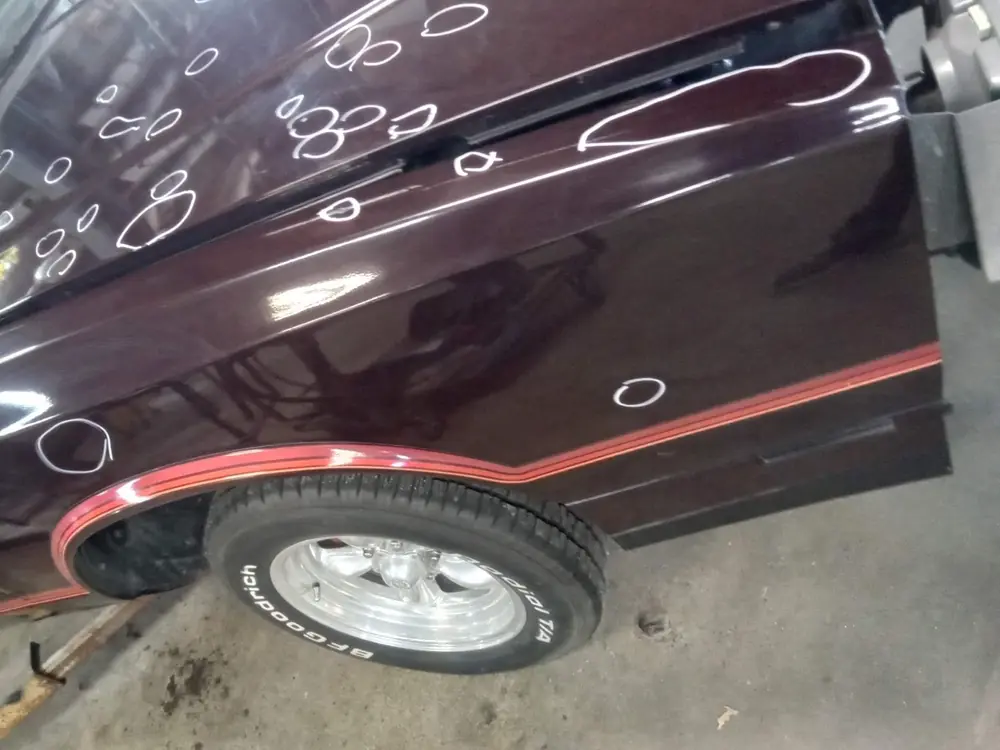
Dents on a maroon door circled in white marker

Dent and hail repair

Dings or hail damage? We assess paint condition, access and damage severity to see whether paintless dent repair can preserve the original finish or another repair method is needed.

Discuss this service →
Glossy red paint reflecting the shop lights

Paint protection and color

Want to protect or change your finish? Discuss sprayed paint protection film, surface preparation, expected appearance, care and removal before choosing the work.

Discuss this service →
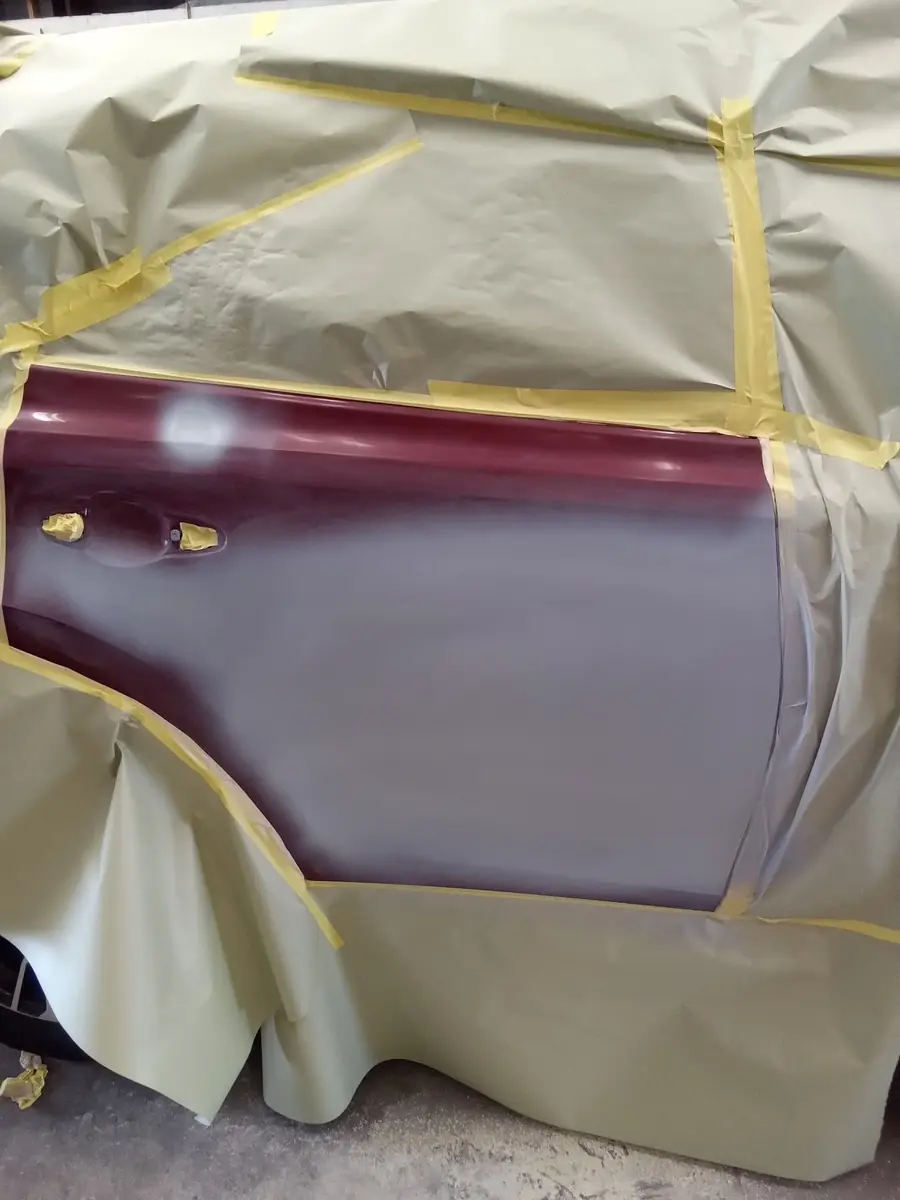
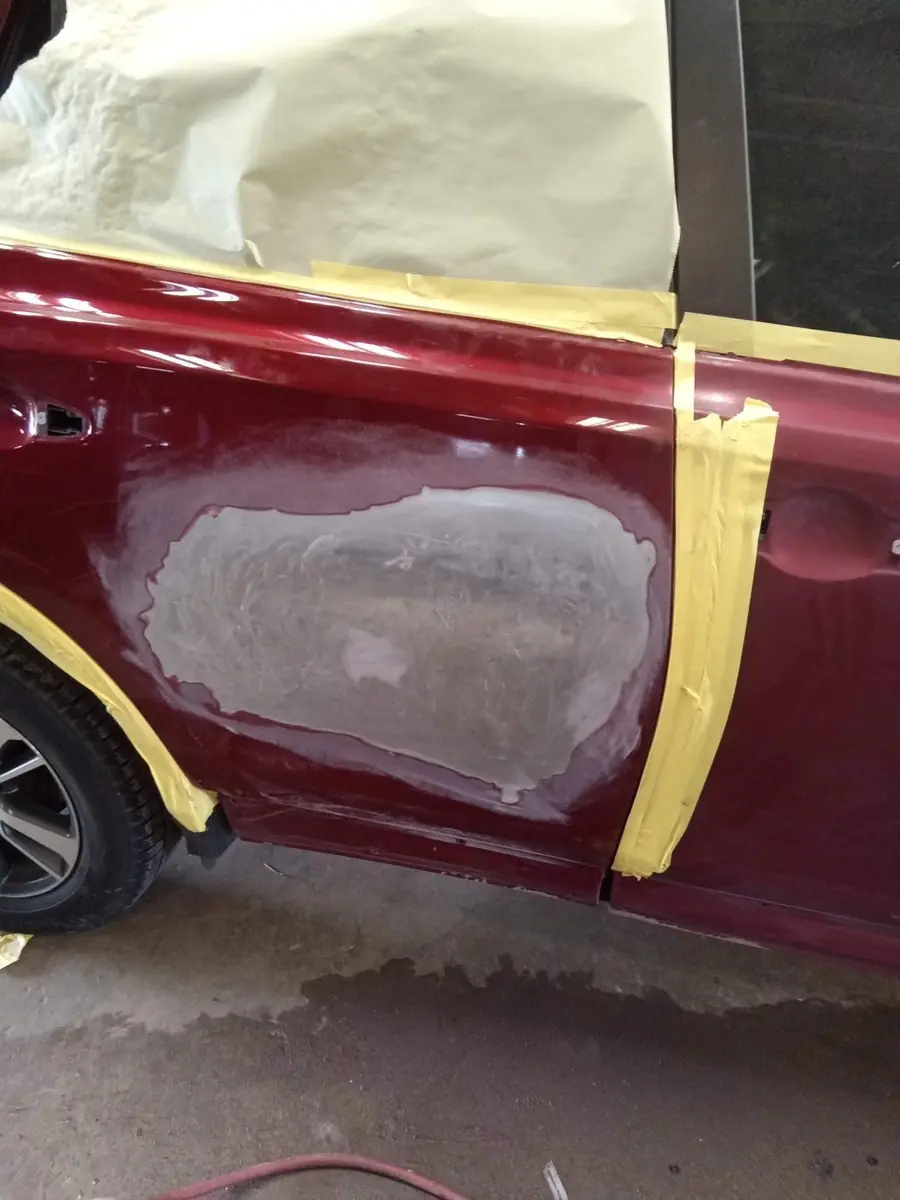
A door masked off and primed for refinishing

Paint and refinish

Scratches, damaged paint or a visible color difference? We evaluate the surface and surrounding panels, then explain preparation, color matching and any blending needed for the agreed finish.

Discuss this service →
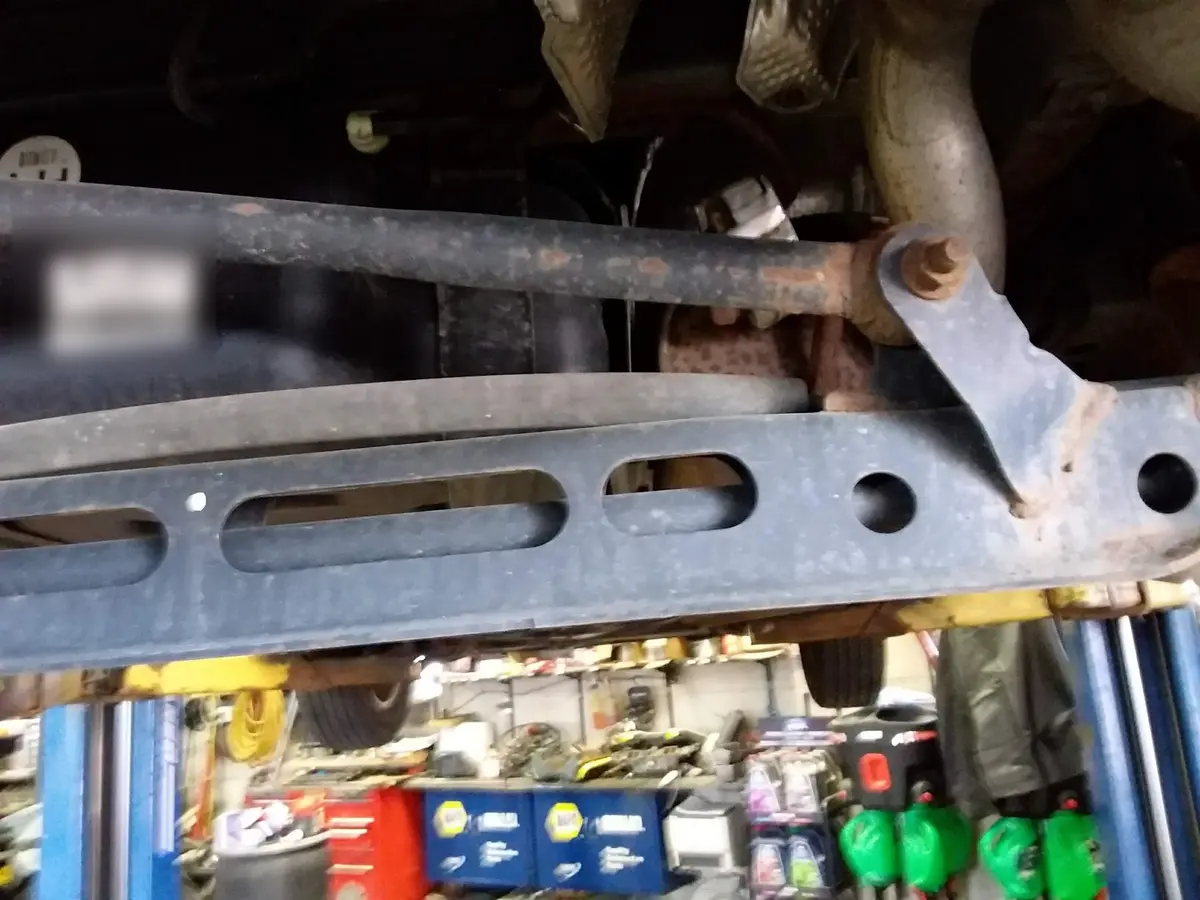
Suspension and frame components inspected on a lift

Mechanical, alignment and scans

Unusual handling, warning lights or collision-related mechanical damage? Applicable diagnosis, alignment checks and scans help identify the cause and the repair or specialist verification needed.

Discuss this service →
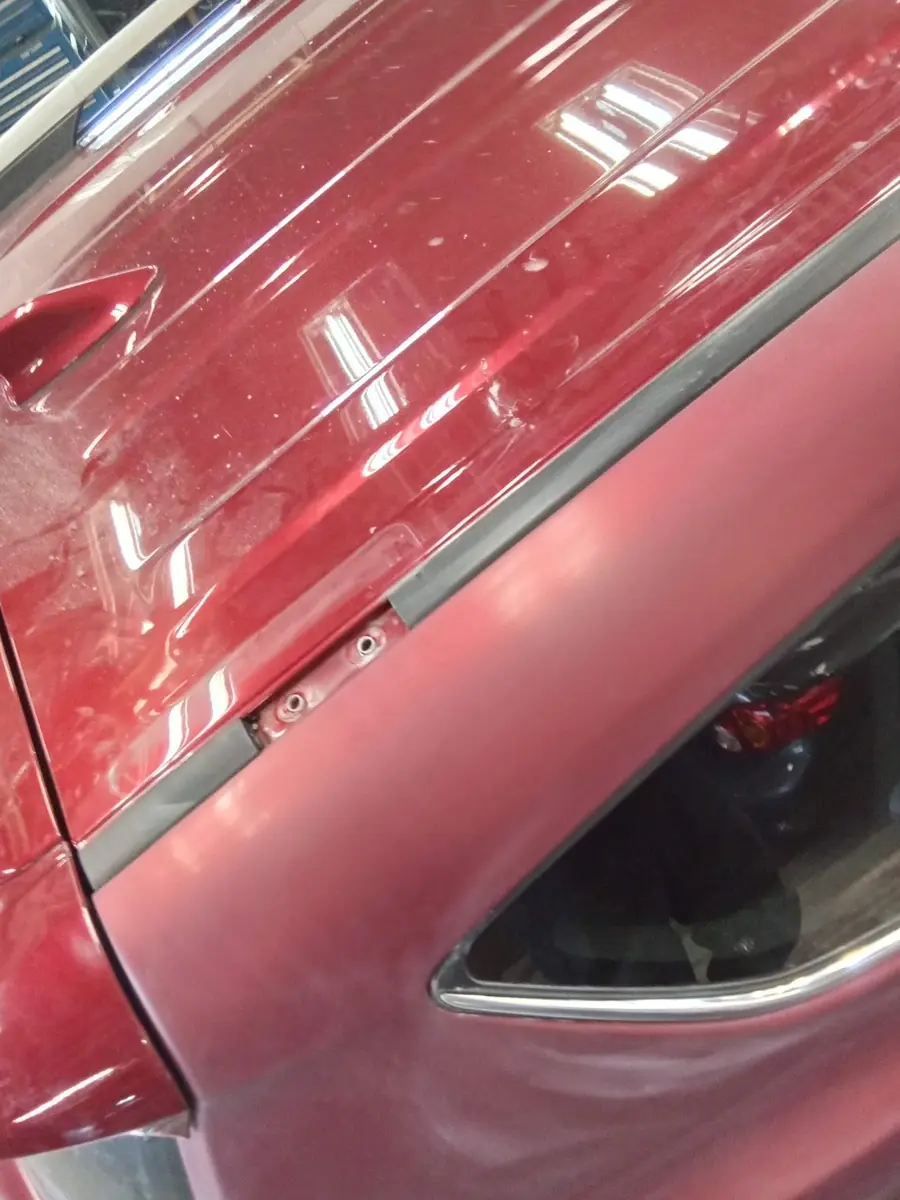
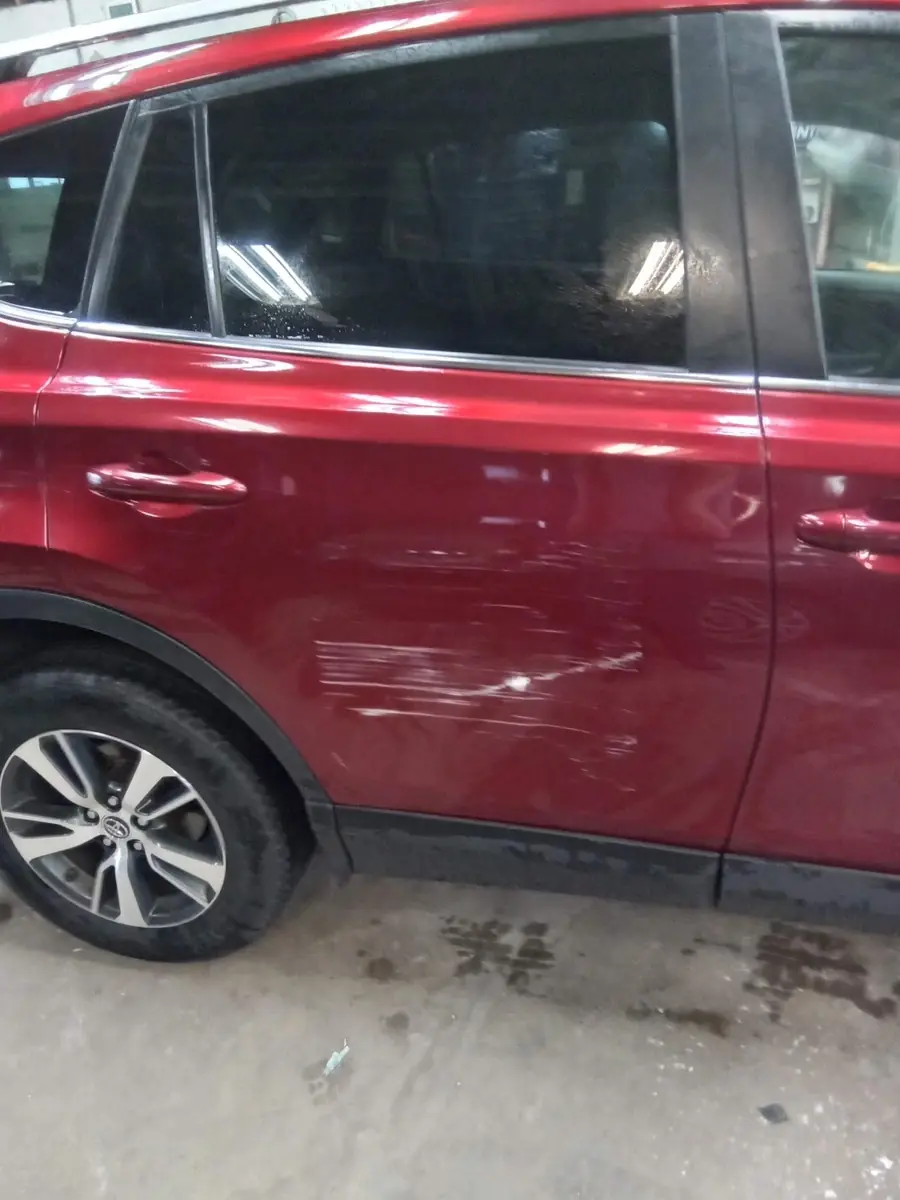
Scrapes across a red rear door

Cosmetic repair assessment

Discuss scuffs, scratches and dents. Scope, cost and timing depend on assessment; the same pricing policy applies to the same work with or without an insurance claim.

Discuss this service →
ONE DOOR, START TO FINISH

The work between damage and done

Scrape damage across a red rear door
Damage recorded
The door after body work, with filler shaped to the panel
Panel restored
The vehicle masked and the door primed for paint
Masked and primed
Glossy red paint reflecting the shop lights
Finish checked under the lights

A clear path from damage to a decision

Our goal is a documented outcome in about one week. Assessment timing depends on access, authorization, findings and responses; it is not a promise of completed repairs or insurer approval.

Assessment pathwayCollision Repair 1 Stop, 159 Pennsylvania Ave W
RO # ______ Vehicle ______________
  1. Engagement documentReview scope, charges, access and responsibilities before authorizing assessment work.
  2. Condition and historyRecord photos, symptoms, prior damage, modifications and your concerns.
  3. Research and accessCheck manufacturer procedures and perform the authorized disassembly needed to investigate concealed areas.
  4. Measurement and diagnosisPerform applicable checks; scans provide clues and do not replace diagnosis or calibration.
  5. Documented outcomeReview findings, procedure references, itemized costs and any unresolved questions or repairability concerns.
  6. Your next decisionConsider repair, claim review or total-loss discussions. Corrective repairs require separate authorization.
Assessment and corrective repairs have separate authorizations.Review scope and charges before work begins.

Your next step before, during and after repair

Use the right evidence to understand the problem, authorize necessary work and review the outcome.

Before: document and understand

Photos and a quick estimate have limits. Use guided intake, VIN identification, recall guidance and prior records to start the conversation. Review assessment scope, charges and coverage before authorizing work.

Tools before repair →

During: review findings and changes

Hidden damage, prior repairs and parts can change the plan. Review relevant measurements, diagnostics, procedure references, itemized changes and payment gaps before additional authorization.

Tools during assessment and repair →

After: verify and ask questions

Review the invoice, applicable completion records, warranty and unresolved concerns. If something seems wrong, seek a documented response or second opinion and use the appropriate assistance route.

Tools after repair →

Start with my vehicle and concerns → · If unsafe operation is suspected, arrange appropriate transport rather than drive.

Understand the work before you authorize it

Your concern starts the conversation. Our job is to investigate it, explain the findings and necessary work, and help you make an informed decision about scope, cost and the intended outcome.

Know why it is needed

We connect the vehicle findings to applicable manufacturer requirements. Research, access, measurements and diagnostics take skilled time; the engagement document explains authorized assessment work and charges.

Know what you are approving

Review the proposed work, limits, costs and unresolved questions. Assessment and corrective repairs have separate authorizations. Newly discovered damage or changed scope needs an explanation and authorization before additional work.

Know what we are responsible for

We carry out the authorized work using applicable procedures, document relevant findings and operations, and coordinate required specialist work. Insurance payment does not replace technical requirements or your authorization.

Know what happens at completion

Review the itemized invoice, applicable verification records, written warranty terms and any remaining concerns or restrictions. A concern after repair deserves a clear response and a documented next step.

Hidden damage, prior repairs, parts availability and safety-system requirements can mean more work than the first photos suggest. We explain how those findings affect the plan so you can decide before the scope changes.

Our responsibilities, your choices and completion review → · Discuss my vehicle and next steps

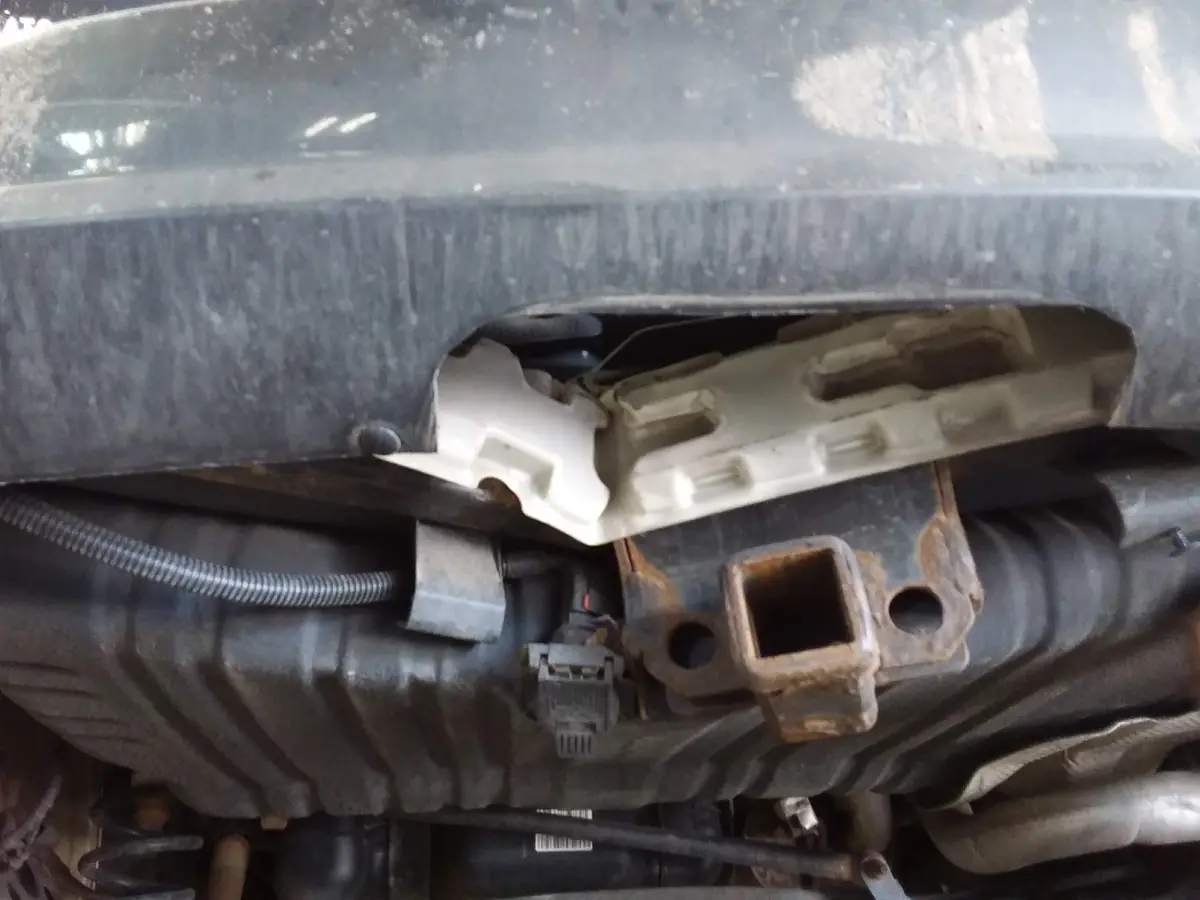
Underside of a vehicle on a lift, showing the frame and hitch area

A repair decision supported by evidence

Your vehicle’s construction and safety systems determine its repair requirements. We research applicable manufacturer instructions and document the findings, so the decision reflects the vehicle rather than a lowest-price target.

We’ve been doing collision repair on the same corner of Frogtown since 1999. A lot of our customers are neighbors, and we’d like to keep it that way.

Does your vehicle have an open safety recall?

Check your VIN with the National Highway Traffic Safety Administration (NHTSA). Then bring any open recall notice to your assessment discussion so we can consider it alongside your vehicle’s condition.

Check your VIN at NHTSA ↗ (new tab) Where to find your VIN and what to do next →

A recall result is not a safety inspection or a collision repair assessment. Follow any manufacturer safety instructions and contact an authorized dealer about the recall remedy.

What is stopping you from moving forward?

External references open in a new tab. Close that tab when you finish to return here and discuss your next step with us.

Choose the concern closest to yours. Start with reliable guidance, then talk with us about the assessment and documentation that can help you make the next decision.

I have damage and only a rough estimate

What supports the decision: Applicable manufacturer instructions establish the repair requirements; a photo alone cannot establish the complete scope.

How we help: Discuss an authorized assessment to document findings, required work, costs and unresolved questions.

See why the price can change →
Discuss my damaged vehicle →

I want to help the process move faster

Bring safe, clear photos, vehicle history, prior estimates and unresolved questions. Access and timely authorization help us investigate and document the next step.

Prepare for the assessment discussion →

I need to understand a repair term

Use our illustrated glossary and its source links to understand the discussion. Ask us to explain how a term applies to your assessment.

Look up a term with pictures →

Our service is vehicle assessment and repair planning. Coverage decisions, recall remedies and individual legal advice belong to the appropriate insurer, manufacturer or qualified professional.

On-site equipment. Evidence for your next decision.

Chassis Liner lift and Revolution frame machine, Eclipse frame measuring, John Bean alignment, Autel MaxiSys Elite diagnostics, and R-134a and R-1234yf A/C equipment help us connect access, measurements and applicable repair operations in one shop.

That can reduce transfers and scheduling between facilities while keeping the findings connected to your repair plan. The right equipment works alongside trained technicians and vehicle-specific manufacturer procedures; timing and repairability still depend on your vehicle and findings.

See how our equipment helps you Discuss my vehicle →

How did we do?

Were the findings, choices and costs clear? Tell us what worked and what we could improve. Share honest feedback, leave a public review or offer a testimonial for consideration.

Feedback, reviews and testimonials · Leave an honest Google review (new tab)

Your feedback is welcome whatever your experience. Testimonials are used only after approval of the wording, attribution and intended channels.

Start your vehicle assessment

Tell us what happened, your concerns and your preferred contact method. This request starts a discussion; it does not authorize paid assessment or repair work. We review the engagement document, scope and charges with you first.

What happens after you contact us?

  1. We review your concern and contact preference.
  2. We discuss the vehicle, available records and the appropriate next step.
  3. Before paid work, we review the engagement document, assessment scope and charges with you.
  4. Your authorization starts the agreed assessment. Corrective repairs require separate approval.

Clicking sends the entered VIN to NHTSA vPIC to identify the vehicle. Confirm results before use. This does not check recalls, history, condition or all fitted safety equipment. You may enter vehicle details manually.

Check recalls at NHTSA (new tab; close it to return)

Tell us what happened, any warning lights or driving concerns, prior repairs or unrepaired damage, and what is holding up your next decision. Include rental or timing concerns if relevant. You do not need a final repair plan to contact us. Please do not include payment details or sensitive personal records.

Vehicle condition — your observations

This preliminary record helps plan an assessment. It is not a completed inspection, repair authorization or safety clearance. Staff will confirm findings and authorized versus excluded work with you.

Because it can move does not mean it is safe to drive. Do not drive with deployed airbags or suspected unsafe operation. Arrange professional transport. Do not start or dismantle an unsafe vehicle to collect photos.

Guided photos: where to stand and what to capture

All photos are optional. Vehicle left/right means its own left/right when facing forward. Stand clear of traffic on stable ground. Remove personal documents and belongings; never crawl underneath or disturb airbags or wiring. Photos cannot establish roadworthiness or reveal every hidden defect.

1. Front

FRONTDot = example position

Stand in front of the vehicle; face its front. Include the full width.

On supported phones, Take photo opens the rear camera. Choose existing photo selects a saved image. To retake, choose a replacement before sending. Each file must meet the upload size limit shown below.

2. Front left

FRONTDot = example position

Stand at the front-left corner (vehicle left); aim diagonally toward the rear.

On supported phones, Take photo opens the rear camera. Choose existing photo selects a saved image. To retake, choose a replacement before sending. Each file must meet the upload size limit shown below.

3. Left side

FRONTDot = example position

Stand beside the vehicle’s left side; face it squarely. Include both wheels.

On supported phones, Take photo opens the rear camera. Choose existing photo selects a saved image. To retake, choose a replacement before sending. Each file must meet the upload size limit shown below.

4. Rear left

FRONTDot = example position

Stand at the rear-left corner; aim diagonally toward the front.

On supported phones, Take photo opens the rear camera. Choose existing photo selects a saved image. To retake, choose a replacement before sending. Each file must meet the upload size limit shown below.

5. Rear

FRONTDot = example position

Stand behind the vehicle; face its rear. Include the full width.

On supported phones, Take photo opens the rear camera. Choose existing photo selects a saved image. To retake, choose a replacement before sending. Each file must meet the upload size limit shown below.

6. Rear right

FRONTDot = example position

Stand at the rear-right corner; aim diagonally toward the front.

On supported phones, Take photo opens the rear camera. Choose existing photo selects a saved image. To retake, choose a replacement before sending. Each file must meet the upload size limit shown below.

7. Right side

FRONTDot = example position

Stand beside the vehicle’s right side; face it squarely. Include both wheels.

On supported phones, Take photo opens the rear camera. Choose existing photo selects a saved image. To retake, choose a replacement before sending. Each file must meet the upload size limit shown below.

8. Front right

FRONTDot = example position

Stand at the front-right corner; aim diagonally toward the rear.

On supported phones, Take photo opens the rear camera. Choose existing photo selects a saved image. To retake, choose a replacement before sending. Each file must meet the upload size limit shown below.

9. Requested damage overview

FRONTDot = example position

Stand back facing the requested repair area. Show the affected panel and surrounding panels.

On supported phones, Take photo opens the rear camera. Choose existing photo selects a saved image. To retake, choose a replacement before sending. Each file must meet the upload size limit shown below.

10. Requested damage angle

FRONTDot = example position

Move to one side of that area and aim across the panel to show shape and gaps.

On supported phones, Take photo opens the rear camera. Choose existing photo selects a saved image. To retake, choose a replacement before sending. Each file must meet the upload size limit shown below.

11. Requested damage detail

FRONTDot = example position

Face the damaged area and move closer only if safe. Keep nearby panel features visible.

On supported phones, Take photo opens the rear camera. Choose existing photo selects a saved image. To retake, choose a replacement before sending. Each file must meet the upload size limit shown below.

12. Odometer

FRONTDot = example position

From outside an open front door or safely seated in a parked vehicle, photograph the displayed mileage. Do not start an unsafe vehicle.

On supported phones, Take photo opens the rear camera. Choose existing photo selects a saved image. To retake, choose a replacement before sending. Each file must meet the upload size limit shown below.

13. Dashboard indicators

FRONTDot = example position

Photograph the dashboard from the front seating area while parked. Record ignition/engine state below; do not start an unsafe vehicle.

On supported phones, Take photo opens the rear camera. Choose existing photo selects a saved image. To retake, choose a replacement before sending. Each file must meet the upload size limit shown below.

14. Front interior

FRONTDot = example position

Stand outside an open front door; photograph front seats, trim and footwells.

On supported phones, Take photo opens the rear camera. Choose existing photo selects a saved image. To retake, choose a replacement before sending. Each file must meet the upload size limit shown below.

15. Rear interior

FRONTDot = example position

Stand outside an open rear door; photograph rear seats, trim and flooring.

On supported phones, Take photo opens the rear camera. Choose existing photo selects a saved image. To retake, choose a replacement before sending. Each file must meet the upload size limit shown below.

16. Cargo area

FRONTDot = example position

Stand behind the open trunk or hatch; photograph inside without climbing in.

On supported phones, Take photo opens the rear camera. Choose existing photo selects a saved image. To retake, choose a replacement before sending. Each file must meet the upload size limit shown below.

17. Additional damage 1

FRONTDot = example position

Stand back facing additional damage, then identify its location in the additional-damage notes.

On supported phones, Take photo opens the rear camera. Choose existing photo selects a saved image. To retake, choose a replacement before sending. Each file must meet the upload size limit shown below.

18. Additional damage 2

FRONTDot = example position

Photograph another additional area or its detail; identify its location in the notes.

On supported phones, Take photo opens the rear camera. Choose existing photo selects a saved image. To retake, choose a replacement before sending. Each file must meet the upload size limit shown below.

Up to 18 labeled photos; each under 12 MB. Photos are kept with the private request for staff review.

Existing estimate — optional

Send an insurer’s or another shop’s estimate for review. Take a clear photo of the entire page, with all four corners and amounts visible, or upload a saved image or PDF. Avoid glare and cover unrelated personal/payment information. A supplied estimate does not replace our damage analysis.

Up to two documents, 12 MB each. A PDF can contain multiple pages. Files are stored privately with your request for staff review.

We follow up during business hours. Do not wait for this form if you need immediate assistance. If the vehicle may be unsafe to drive, arrange safe transport and discuss vehicle access with us.

Call or text
651-292-1485
Visit
159 Pennsylvania Ave W
Saint Paul, MN 55103
Open in Google Maps
Hours
Mon–Fri 8:00 AM – 4:30 PM